Your speed.
Big. That’s it.
A speedometer a child can read at a glance from a phone on the handlebar. Go above the speed you set and the number turns red.
What we always say at home: “안전하게 달리자, 찬아!” (“Ride safe, Chan!”)
An illustration modelled on the app. Real screens are below.
Why it exists
So a child can see their own speed
When your child is on a bike you end up shouting “slow down!” a lot. But kids don’t really know how fast they are going.
Apps that do everything have busy screens that are hard for a riding child to read. So we made our own: one speed, shown big, turning red when it gets too fast.
We built it for our own kid, and we’re sharing it with parents who feel the same way.
— RidingHoons, parent of RidingChani
Screens
A number you can read from far away
Digits, gauge or map. Pick whichever your child finds easiest.
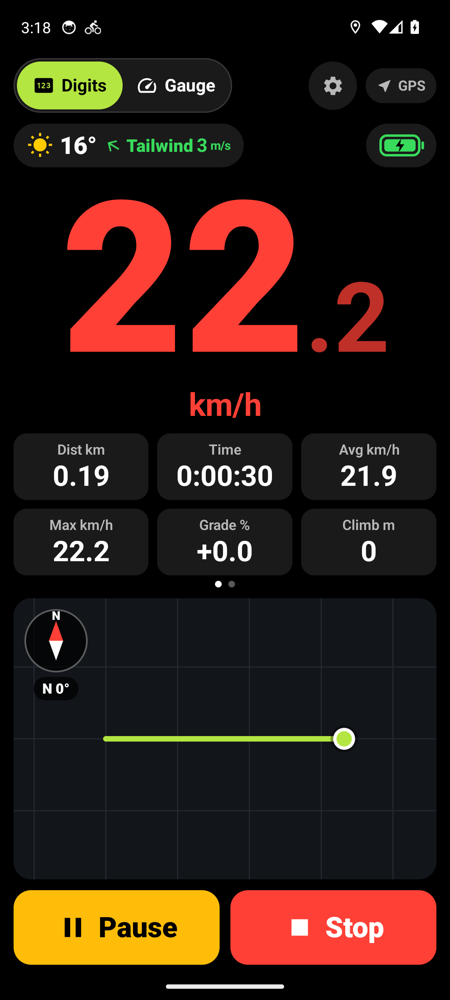
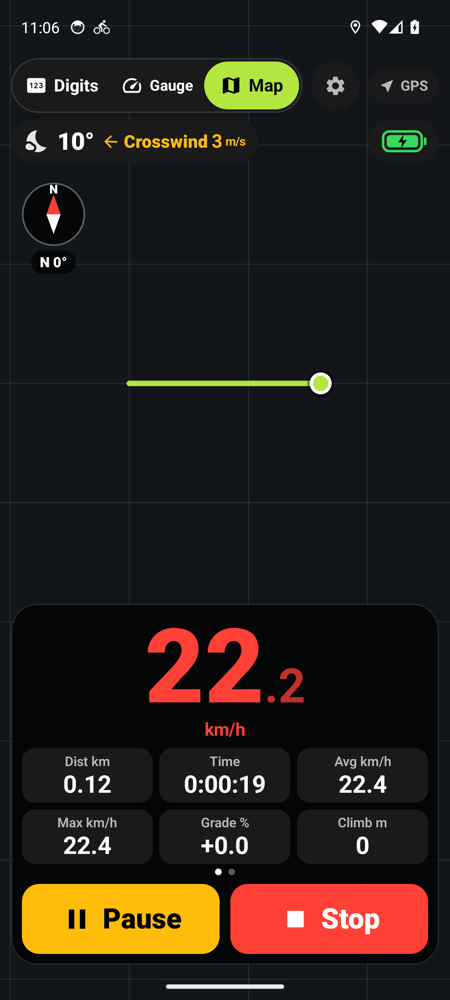
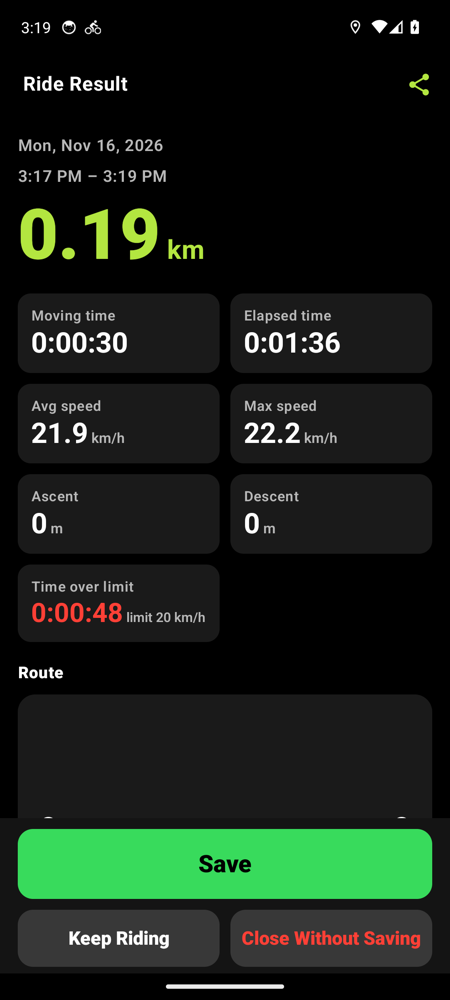
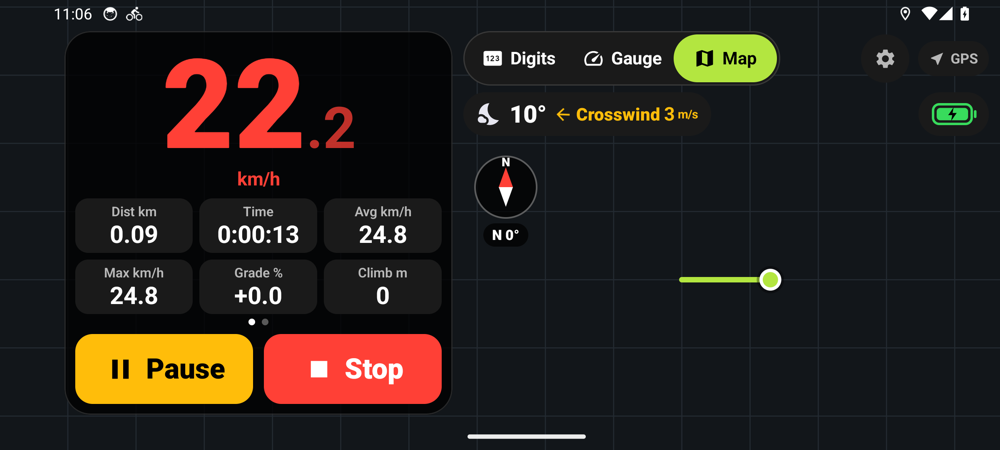
These screens were captured in an emulator from a development build of the upcoming Android version. The map background did not load there, and the iPhone screens may look slightly different.
Features
Only what a ride needs
20km/h
Too fast? The number turns red
Above the speed limit you set, the speed is shown in red. The limit starts at 20 km/h and can be set anywhere from 5 to 60 km/h. After the ride you also see how long was spent over it.
−20%
Slower in the rain and at night
When it rains or after sunset, the limit drops by 20%. A 20 km/h limit becomes 16 km/h.
3
Three screens
Big digits, a gauge with a moving needle, or a full map background. One tap to switch.
3m/s
Weather and wind
Temperature and conditions, plus whether the wind is a tailwind, headwind or crosswind for the way you are riding.
12.4km
Ride stat cards
Distance, time, average, max, grade, climb, altitude, elapsed time and time over the limit. Swipe to see them.
20rides
Report and history
Each ride ends with a report: route, speed chart and altitude chart. The latest 20 rides stay on the phone.
Save to Apple Health
If you allow it, rides are saved to the Health app as cycling workouts. The app works fine without it.
On the Lock Screen too
Recording continues with the screen locked, and a Live Activity shows speed and distance on the Lock Screen.
Power saver
Tap the battery icon to hide the map and dim the screen, so the battery lasts on long rides.
Compass · 10 languages · km/h and mph
A compass on the map shows your heading. Available in 한국어, English, 日本語, 简体中文, Español, हिन्दी, Français, Português (Brasil), Русский and Deutsch, with km/h or mph and °C or °F.
What’s not in it
Simple on purpose: what we left out
No ads
Nothing is advertised on screen.
No account
No sign-up and no login.
No purchases
Free, with every feature available today.
No collection
We run no server. Rides stay on the phone.
Exactly what leaves the phone is written out in the privacy policy.
A note to parents
Please mount the phone firmly on the handlebar. Teach your child not to touch the screen while moving, and to glance at the number and look back at the road. Speed comes from GPS and can differ a little from the real speed. This app does not replace a helmet or a watchful adult.
Get it
Coming soon to the App Store
iPhone first (iOS 17 or later). An Android version is in the works.